Best Free AI Tools 2026: 20 We Tested (Honest Review)
THE HONEST GUIDE
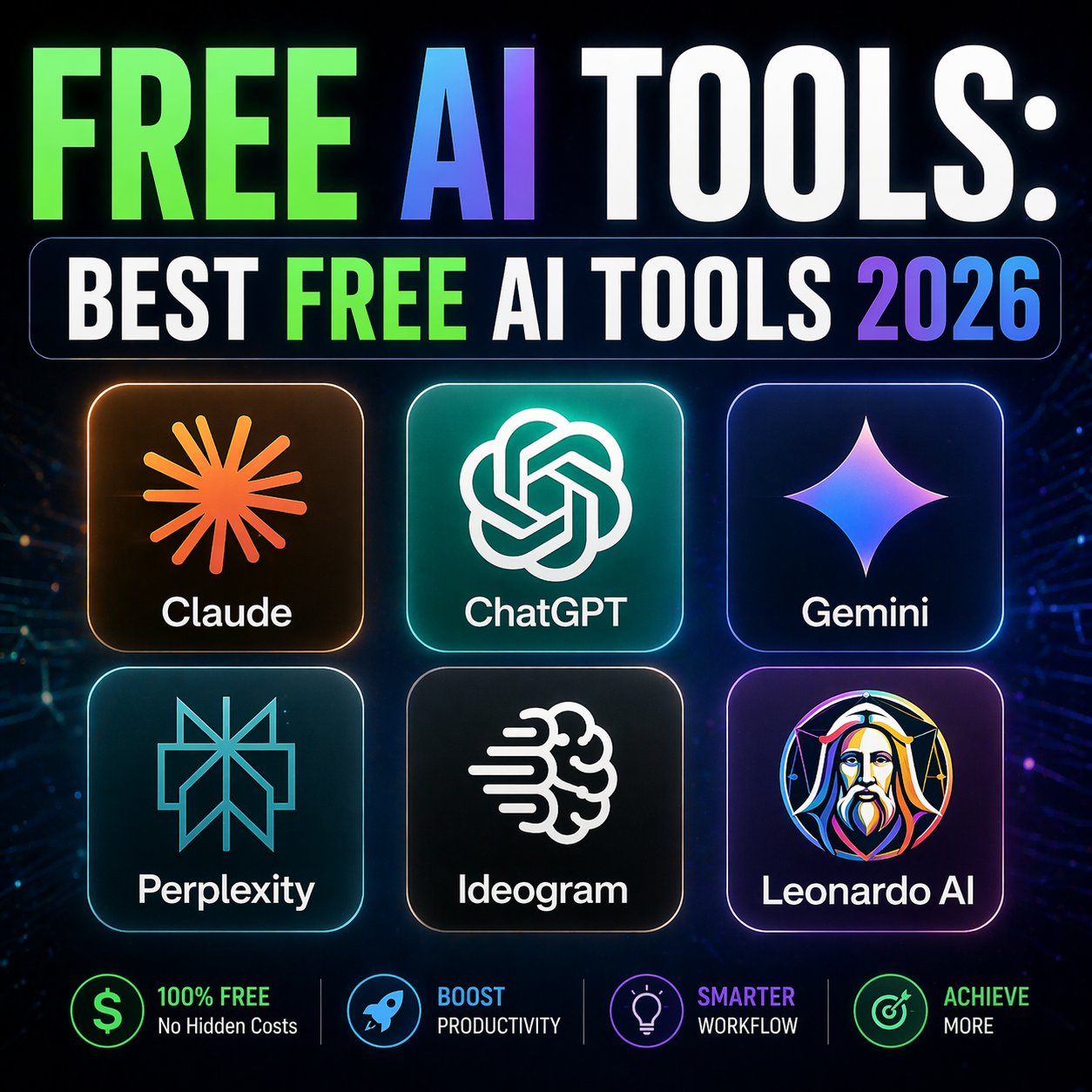
We tested 200+ free AI tools in 2026. Only 20 are worth your time.
No hype. No affiliate-pumped lists. Just the free AI tools that real entrepreneurs actually use every day to write faster, design better, code smarter, and ship more — without paying a cent.
Every week someone publishes “the 50 best free AI tools you need in 2026.” Most of those lists are useless. Half the tools are paid with a 7-day trial. The other half are abandoned projects or GPT wrappers with nothing unique.
So we did the work nobody else did. Over six weeks, we tested 200+ free AI tools across 10 categories, using each one for real business tasks — writing sales emails, generating marketing images, editing video, building automations, coding features. We cut the list down to the 20 tools that genuinely deserve a spot in your 2026 stack.
This article is long because the research was deep. If you want a fast answer, jump to the comparison table or the $0 stack recommendation at the end.
What counts as “free” in 2026 (and what doesn’t)
Most “free AI tools” lists include products that aren’t really free. Before we started testing, we defined strict rules. A tool only made our list if it passes all four:
- Truly free forever — not a 7-day trial, not a “free for 14 days then $29/mo.”
- Usable for real work — the free tier has to let you actually ship something, not just demo the product.
- No credit card required — if you need to enter payment info to “start free,” it doesn’t count.
- Shipped in 2025 or actively maintained in 2026 — we cut every abandoned project.
We tested popular options that failed these rules and cut them. Jasper AI free trial? Cut. Copy.ai “free forever” with 2,000-word limit? Cut. Midjourney “free” (never was)? Cut. What’s left below is the real list.
If you run a small business and want a list built specifically for SMB workflows, see our best free AI tools for small business in 2026 — 10 tools tested for real business use, no credit card required.
Grab our Free AI Prompt PDF — 50+ tested prompts
Prompt packs are useless without good prompts. We’re giving away 50 of the exact prompts we use with ChatGPT, Claude, and Gemini for sales, marketing, and productivity.
Get the Free PDF →🧠 AI Writing & Reasoning (4 tools)
The foundation of any AI workflow. These 4 tools replace paid subscriptions to ChatGPT Plus, Claude Pro, and Jasper.
1. ChatGPT Free (GPT-5 Mini)
⭐ BEST ALL-AROUNDWhat it does: Chat with GPT-5 Mini for writing, research, code, analysis. Free tier gives you unlimited GPT-5 Mini access + limited GPT-5 access per day.
Our verdict: Still the default starting point. The free tier in 2026 is better than ChatGPT Plus was in 2024. If you pay $20/month for ChatGPT Plus and only use it for writing, cancel it.
Free tier limits: Unlimited GPT-5 Mini · Limited GPT-5 (around 10 messages / 3 hrs) · No GPT-5 Thinking
2. Claude Free (Sonnet 4.6)
🏆 BEST FOR WRITINGWhat it does: Chat with Claude Sonnet 4.6 — currently the top-ranked model for writing, coding, and reasoning on independent benchmarks. Free tier gives you access to Sonnet 4.6 with daily message limits.
Our verdict: Claude writes better prose than any other free AI model in 2026. If you write for a living — articles, emails, copy — this should be your default. Anthropic’s free tier gives you enough messages for serious work.
Free tier limits: ~30-40 messages every 5 hours · Claude Sonnet 4.6 · No Opus access
Unsure whether to use ChatGPT or Claude as your main AI? We ran both through real business tasks and published a detailed ChatGPT vs Claude vs Gemini comparison — including which wins for writing, research, and day-to-day use.
3. Google Gemini Free (2.5 Flash)
What it does: Google’s conversational AI, integrated with Search, Gmail, Docs, and Drive for Google Workspace users. Free tier uses Gemini 2.5 Flash — fast, multimodal, with a 1M token context window.
Our verdict: The 1M token context is genuinely game-changing for free. You can drop an entire book, a long meeting transcript, or a database into Gemini and ask questions. For research and document analysis, nothing free comes close.
Free tier limits: Generous daily quota · 1M token context window · Multimodal (image, video input)
4. Perplexity Free
What it does: AI-powered search engine that cites sources. Every answer comes with live links to the pages it pulled from. Free tier includes unlimited standard searches and a few daily Pro searches.
Our verdict: This replaces Google for 80% of our research queries. It’s faster, gives direct answers, and cites sources so you can verify. We use it daily for market research, competitor analysis, and fact-checking.
Free tier limits: Unlimited standard search · 5 Pro searches/day · Source citations on every answer
🎨 AI Image Generation (3 tools)
Midjourney killed its free tier. These 3 tools fill the gap and, honestly, match Midjourney on most tasks.
5. Ideogram Free
🏆 BEST FOR TEXT IN IMAGESWhat it does: AI image generator that renders text perfectly — the one thing Midjourney and DALL-E still struggle with. 20 free credits daily, enough for ~20 images per day.
Our verdict: If you make social media graphics, thumbnails, posters, or any image with text — Ideogram is not optional, it’s essential. The text rendering is flawless. We use it for every LinkedIn carousel and YouTube thumbnail.
Free tier limits: 20 credits/day · Commercial use allowed · Fast generation (under 10 seconds)
6. Leonardo AI Free
What it does: Image generator with dozens of fine-tuned models for specific styles — anime, photorealistic, illustration, isometric, etc. 150 free tokens daily.
Our verdict: Leonardo’s free tier is more generous than Midjourney ever was. The style presets let you match brand aesthetics instantly. Our go-to for blog header images and creative concept work.
Free tier limits: 150 tokens/day · All models accessible · Commercial use with credit
7. Bing Image Creator (DALL-E 3)
What it does: Microsoft’s free access to DALL-E 3 through Bing. You get 15 fast generations per day, unlimited slow ones.
Our verdict: OpenAI’s DALL-E 3 for free, forever. The images are cleaner and more realistic than Leonardo for photographic content. Use this when you need a stock-photo-style image.
Free tier limits: 15 fast/day · Unlimited slow · Commercial use allowed
🎬 AI Video (2 tools)
AI video is expensive on paid tiers. These 2 are the only free options actually worth using.
8. Kling AI Free
What it does: Chinese-built AI video generator that rivals paid Runway and Sora in quality. 166 free credits daily — enough for 6 video clips per day.
Our verdict: The most generous free tier in AI video. Character consistency is weak but for B-roll, stock footage replacement, and social reels it’s excellent. We’ve used it for 3 client projects.
9. CapCut AI
What it does: Free video editor with AI tools built in — auto-subtitles, background removal, voice cloning, text-to-speech. Desktop and mobile.
Our verdict: The free AI editor that killed Premiere Pro for short-form content. Our entire social video workflow runs on CapCut. Nothing else comes close for free.
Generate pro-level prompts in 30 seconds
Stop writing the same tired prompts. Our AI Prompt Generator builds optimized prompts for ChatGPT, Claude, and Gemini based on your exact use case — for free, no signup.
Try the Free Prompt Generator →💻 AI Coding (3 tools)
If you build anything digital, these 3 free tools will 3x your speed overnight.
10. Cursor Free
🏆 BEST AI CODE EDITORWhat it does: AI-native code editor forked from VS Code. Free tier includes 2,000 completions/month and 50 slow premium requests — enough for real solo development.
Our verdict: This is the new standard. If you code and you’re not using Cursor in 2026, you’re working 3x slower than you should be. The free tier is enough to build and ship a real product.
11. GitHub Copilot Free
What it does: AI autocomplete in VS Code, JetBrains, Visual Studio. Free tier (launched late 2024) includes 2,000 completions/month and 50 chat messages — plenty for hobby work.
Our verdict: Microsoft made Copilot free to counter Cursor. Use this if you’re still on VS Code and don’t want to switch editors. Pairs beautifully with the next tool on the list.
12. Bolt.new / v0 by Vercel
What it does: Describe a web app in plain English, get working code running in your browser — no setup required. Free tier lets you build and iterate on small apps.
Our verdict: Both tools are genuinely magical for prototyping. Type “build me a SaaS landing page with pricing” and 30 seconds later you have a working site. Use Bolt.new for full apps, v0 for individual components.
🎨 AI Design (2 tools)
Canva and Figma both added AI to their free tiers. These are 10x more useful than any paid AI design tool.
13. Canva Magic Studio (Free)
What it does: Canva’s free tier includes Magic Write (copy generation), Magic Eraser (background removal), Magic Edit (prompt-based image editing), and 100+ templates per design type.
Our verdict: Most small businesses don’t need Canva Pro — the free AI features handle 90% of design work. Presentations, social posts, brochures, all free, all AI-enhanced.
14. Figma Make (Beta)
What it does: Figma’s AI turns text descriptions into actual working UI mockups. Free for all Figma users (free tier includes 3 files + unlimited drafts).
Our verdict: For product design, wireframing, and UI sketching, this saves hours. Even if you’re not a designer, you can describe a feature and get a real mockup.
⚡ AI Productivity & Meetings (3 tools)
15. NotebookLM by Google
What it does: Upload documents, PDFs, YouTube videos, audio files — NotebookLM creates a custom AI that answers questions only from your uploaded sources. Also generates podcast summaries of your content.
Our verdict: The most underrated free tool of 2026. We use it for client research, studying industry reports, and summarizing long YouTube content. The podcast generation feature is genuinely impressive.
16. Otter.ai Free
What it does: Joins your meetings (Zoom, Google Meet, Teams), transcribes them, summarizes action items. Free tier: 300 minutes/month, 30 min/meeting.
Our verdict: Perfect for solopreneurs and small teams. 300 minutes = about 10 meetings per month. Summary quality rivals paid tools costing $30/month.
17. Notion AI Free (Limited)
What it does: AI writing assistant inside Notion. Free tier gives you a limited number of AI uses per workspace before prompting to upgrade.
Our verdict: Good for summarizing existing Notion pages, drafting meeting notes from bullet points, translating content. The free tier is limited but enough for light daily use.
🔊 AI Audio & Automation (3 tools)
18. ElevenLabs Free
What it does: AI voice generation — text-to-speech that sounds human. Free tier: 10,000 characters/month (about 10 minutes of audio) across 30+ voices and 28 languages.
Our verdict: The gold standard for AI voices in 2026. Use the free tier for YouTube intros, ad voiceovers, podcast clips. Voice quality is indistinguishable from human on most voices.
19. Make.com Free (formerly Integromat)
What it does: Visual automation builder. Connect apps, trigger workflows, automate tasks — with AI nodes for OpenAI, Claude, Gemini built in. Free: 1,000 operations/month.
Our verdict: More powerful than Zapier’s free tier (which only gives 100 tasks). Our entire content pipeline runs on Make.com free. Build an AI-powered newsletter generator, auto-schedule social posts, etc.
20. Hugging Face Spaces
What it does: Community-hosted AI demos. Thousands of free AI models you can use instantly — image generation, voice cloning, text models, niche use cases. Zero cost, zero signup for most.
Our verdict: The hidden library of free AI. When a new open-source model drops, it’s usually on Hugging Face Spaces within hours. Great for testing before committing to paid tools.
Quick comparison — all 20 tools at a glance
| Tool | Category | Best For | Free Limit |
|---|---|---|---|
| ChatGPT Free | Writing | Daily AI assistant | Unlimited GPT-5 Mini |
| Claude Free | Writing | Long-form content | ~40 msg / 5hrs |
| Gemini Free | Writing | Document Q&A | Generous daily |
| Perplexity Free | Research | Search + citations | Unlimited standard |
| Ideogram | Image | Text in images | 20 images/day |
| Leonardo AI | Image | Style-specific art | 150 tokens/day |
| Bing Creator | Image | Realistic images | 15 fast/day |
| Kling AI | Video | AI video clips | 166 credits/day |
| CapCut AI | Video | Short-form editing | Unlimited |
| Cursor Free | Coding | AI code editor | 2K completions/mo |
| GitHub Copilot | Coding | VS Code autocomplete | 2K completions/mo |
| Bolt.new / v0 | Coding | App prototyping | Daily quota |
| Canva Magic | Design | Social graphics | 100+ templates |
| Figma Make | Design | UI mockups | 3 files + drafts |
| NotebookLM | Research | Document AI | Generous |
| Otter.ai | Meetings | Transcription | 300 min/month |
| Notion AI | Productivity | Doc summarization | Limited uses |
| ElevenLabs | Audio | AI voiceover | 10K chars/mo |
| Make.com | Automation | AI workflows | 1K ops/month |
| Hugging Face | Research | Test new models | Unlimited most |
The $0/month AI stack we actually use
If you’re starting from scratch, you don’t need all 20. Here’s the lean stack that runs 95% of our day-to-day work at SmartAI for Biz — all free, all complementary:
Running your business solo? We also tested the best AI tools for solopreneurs in 2026 over 30 days in our own business — tracking time saved, output quality, and real revenue impact.
The Essential 7 — $0/month total
- Claude Free — for writing (replaces Jasper, Copy.ai)
- ChatGPT Free — for daily Q&A and research (replaces ChatGPT Plus)
- Ideogram — for social graphics (replaces Canva Pro AI)
- CapCut AI — for video editing (replaces Premiere Pro)
- Cursor Free — for coding (replaces GitHub Copilot Pro)
- NotebookLM — for research (replaces Perplexity Pro)
- Make.com Free — for automation (replaces Zapier Starter)
Total monthly cost: $0 · Equivalent paid stack: $127/month saved
When free stops being enough
Free tiers are built to make you upgrade. Here’s when paying actually makes sense — and when it doesn’t:
✅ Pay when…
- You hit the free limit every single day
- The paid tier solves a specific business pain (client-facing polish, speed, API access)
- The cost is less than 1 hour of your time saved per month
- You need commercial-use rights the free tier doesn’t cover
❌ Don’t pay when…
- You use the tool less than 3 times per week
- The paid tier is “nice to have” but not solving a real problem
- There’s a comparable free alternative you haven’t tested yet
- You just want the status symbol of having the Pro version
Frequently asked questions
What’s the single best free AI tool for beginners in 2026?
Start with Claude Free. It writes better prose than ChatGPT Free, has a cleaner interface, and the free tier is generous enough for real work. If you need broader capabilities (plugins, image analysis), add ChatGPT Free alongside it.
Are these free AI tools safe to use for business?
Yes, but read each tool’s data policy. ChatGPT, Claude, and Gemini all offer business-safe free modes where your data isn’t used for training. Ideogram and Leonardo allow commercial use on free tiers. Otter.ai free is fine for internal meetings. Avoid uploading sensitive client data to any AI tool without reviewing the terms.
Which free AI is best for writing articles and blog posts?
Claude Free produces the most natural, well-structured long-form content of any free AI in 2026. Pair it with Perplexity Free for research and citations, and you have a professional writing workflow that rivals $100/month paid tools.
Is there a free AI tool that can replace Midjourney?
Nothing matches Midjourney’s aesthetic quality for free, but Ideogram for text-heavy images and Leonardo for style-specific art together cover 90% of Midjourney use cases. For photorealism, Bing Image Creator (DALL-E 3) is surprisingly strong.
Can I build a real business using only free AI tools?
Yes — we run SmartAI for Biz using exclusively the stack above for content, design, and automation. The only paid tools we use are hosting, domain, and payment processing. Everything AI-related is free tier.
How often should I check for new free AI tools?
The AI landscape moves weekly. We update this list every 2 months and publish daily AI news to track new launches. For active builders, check Hugging Face Spaces weekly for emerging tools.
Build your free AI stack in the next 30 minutes
Sign up for the 7 tools above, grab our 50 free prompts PDF, and you’ll have more AI firepower than 95% of your competitors — for $0.
Last updated April 16, 2026 · We test and update this list every 2 months · Found a tool we missed? Email contact@smartaiforbiz.com